Switching? Start here
The LymphFlow alternative
to every depuff app.
Looking for a Depuff AI alternative, a Leaply alternative, or a better option than the app you're using now? Each guide below explains why people switch, what changes when you do, and where the other app is still the better choice.

Free to download · iOS only
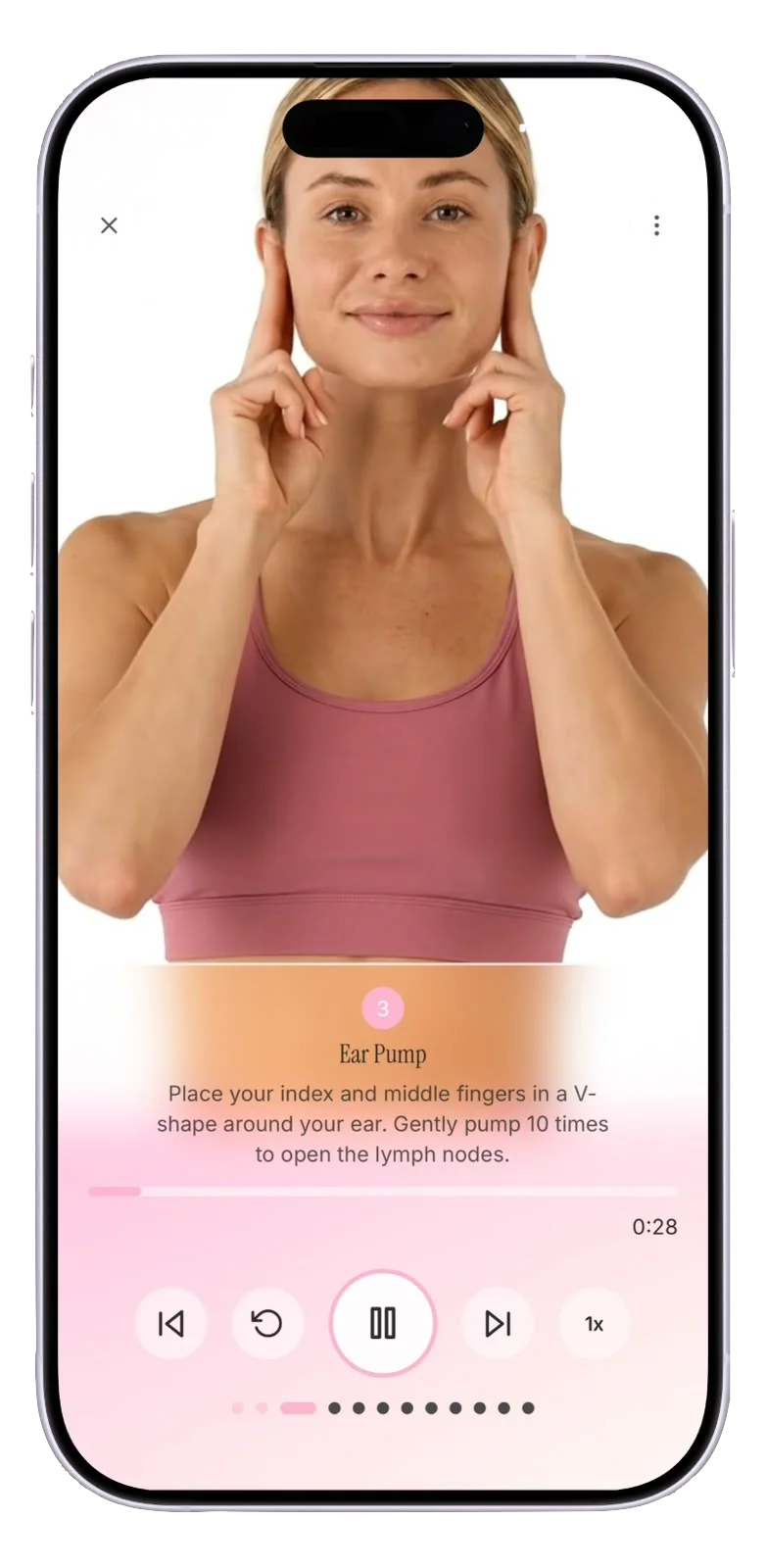
LymphFlow as an alternative to every major app

Lymphia alternative
Lymphatic movement
Lymphia moves your lymph with exercise. LymphFlow moves it with your own hands, guided by real filmed massage videos. They solve different problems, and plenty of people would honestly be happy with either.
See the alternative →

Lymfa alternative
Guided massage
Lymfa is the nearest neighbor on paper. Where LymphFlow pulls ahead is craft: production quality of the videos, a calm voiceover throughout, a custom session builder, a mood journal, and a design you look forward to opening.
See the alternative →

Lymphi alternative
Guided massage
Lymphi guides you with drawings and a timer. LymphFlow shows you the real thing: filmed massage videos with a calm voiceover, for your face and your whole body.
See the alternative →

Leaply alternative
Habit program
Leaply sells a lifestyle overhaul through a quiz funnel. LymphFlow sells one thing done well: guided lymphatic drainage you can start in the app today, with pricing you see before you pay and cancellation through your normal App Store subscriptions.
See the alternative →
Depuff AI alternative
AI face scanning
Depuff AI watches your face. LymphFlow works on it. Instead of a selfie score, you get real filmed massage routines with a calm voiceover, for your face and the rest of your body too.
See the alternative →

Glowsy alternative
Guided massage
Glowsy had the right instinct: guided drainage, not AI scores. LymphFlow takes that instinct further, with filmed video routines, a calm voiceover, full-body coverage, and an app that actually gets updated.
See the alternative →
Bloat Down alternative
AI face scanning
Bloat Down had a head start, but it has been standing still for a year. LymphFlow ships regularly and treats the routines themselves, filmed, narrated, and covering your whole body, as the product.
See the alternative →
UNBLOAT alternative
AI face scanning
UNBLOAT tracks your face with photos and gives you a few five-minute routines. LymphFlow flips that ratio: the guided routines are the whole product, filmed properly, narrated calmly, and covering your body from face to legs.
See the alternative →

Lymph alternative
Guided massage
Lymph proves the demand for guided drainage videos. LymphFlow delivers the finished version: better-produced routines, a voiceover, tummy coverage, mood tracking and a design that feels like a product rather than a prototype.
See the alternative →
NoBloat alternative
AI face scanning
NoBloat gives you a number. LymphFlow gives you a routine. Real filmed drainage videos with a voiceover, your whole body covered, and no third-party AI looking at your face.
See the alternative →
Why people end up here
Tired of face scans
Most depuff apps want a daily selfie to score. Plenty of people just want to do the massage without a camera involved.
Billing surprises
Quiz funnels, unlabeled billing periods, and web checkouts that renew at full price push people toward apps with plain App Store subscriptions.
Face-only isn't enough
Puffiness isn't just a face thing. Bloated tummies and heavy legs need routines too, and most apps stop at the jawline.

Ready to start flowing?
Five minutes a day. Real guided videos, a calm voice walking you through every stroke, and a lighter, less puffy feeling when you're done.
Free to download · From $3.99/week · Cancel anytime in Settings